


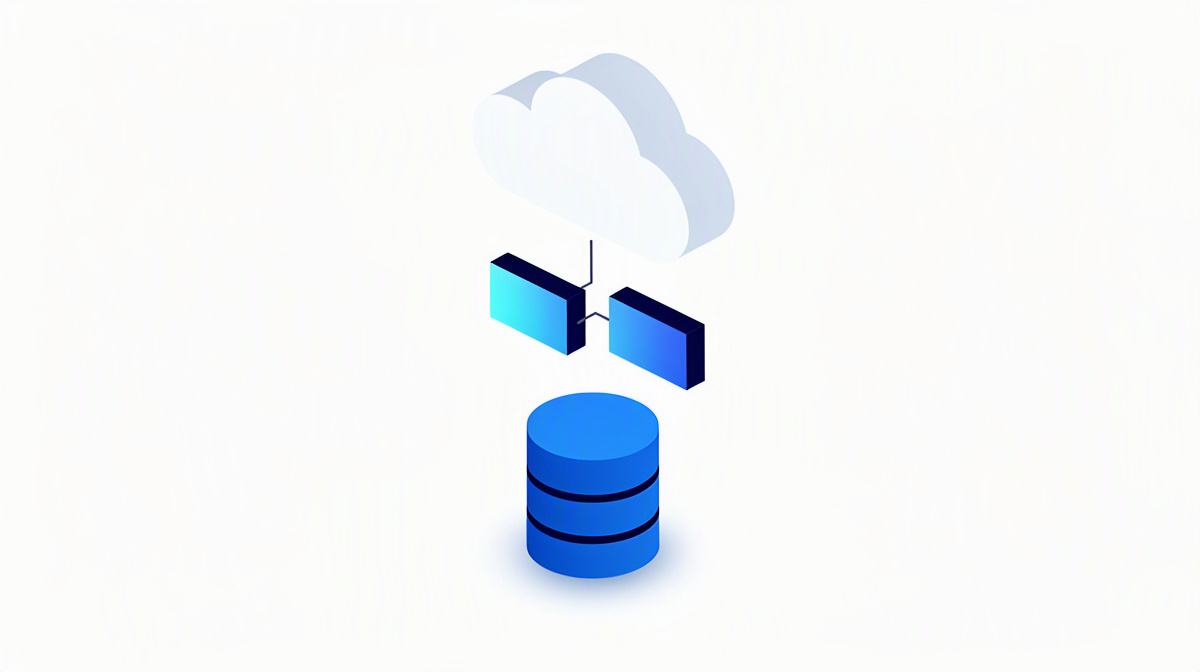
If you want to improve data quality, you usually need to do more than just check individual records. The key is to look closely at the handovers between connected systems. This article explains why duplicate maintenance, manual transfers and inconsistent data arise in organisations, and how to tackle the issue in a structured way. This affects many organisations where CRM, specialist applications, Excel spreadsheets, portals or Microsoft 365 processes are used in parallel and information is maintained more than once.
Better data quality makes reporting easier, reduces follow-up questions, lowers coordination effort and creates a more reliable basis for operational and strategic decisions. What you will find here is not deep technical detail for developers, but practical guidance for management, IT leaders, specialist departments and project owners.
Where data quality breaks down in connected systems
Connected systems are applications, databases or portals that exchange information with one another or represent the same process in several steps. If you align data between systems, quality issues often arise not at a single point, but at the handover stages.
Common causes include:
- The same master data is maintained separately in several systems, for example contacts, properties, contracts or measures.
- Data is transferred by hand, taken from emails or copied from spreadsheets. This leads to typing errors, omissions and outdated content.
- Terms and fields are not aligned properly from a business perspective. If statuses, categories or mandatory details are understood differently, contradictions arise.
- It is unclear which system is the leading one for a given data type. Changes are then entered in parallel or in conflicting ways.
- Interfaces may transfer data technically, but without sufficient validation. An interface is the defined connection through which systems exchange information automatically.
In day-to-day work, this shows up in follow-up questions, correction loops, delayed approvals, incomplete reports and declining trust in figures. That is exactly why data quality problems are rarely just an IT issue. In most cases, they arise where business processes, responsibilities and software are not properly aligned. If you want to turn this into a project, an initial rough assessment or a no-obligation introductory call can help.
Which data should be improved first
If you want to improve data quality, you should not try to tackle all data at once. It is usually better to start with the information that matters most for business processes and reporting.
Three questions usually help with prioritisation:
- Which data is used especially frequently? That is where errors have the quickest impact in everyday work.
- Which data is handed over between systems most often? These handover points are where breaks in the process and inconsistencies most often arise.
- Which data triggers follow-on processes? Examples include quotations, measures, approvals, documents or tasks.
This order is particularly worthwhile for connected applications and databases, because it lets you improve the areas where the benefits will be felt most clearly first.
For each prioritised data type, you should also define which fields are genuinely required and which can remain optional. Master data means basic, longer-lasting information such as people, organisations, properties or items that is reused across many processes.
It is just as important to make duplicates visible. Duplicates are records that exist twice or multiple times, describing the same thing but possibly written or maintained differently.
Even simple rules help: consistent naming, clear mandatory fields, fixed selection values instead of free text, and traceable change paths. If you want to structure the starting point for this, a project outline with follow-up questions can be a sensible next step.
How to create a robust structure instead of making one-off corrections
Sustainable data quality does not come from occasional clean-up exercises alone. It improves for the long term above all when processes, responsibilities and software fit together.
One key step is to define a leading system for each data area. This system is the authoritative source from which other applications take information. That prevents the same details from being changed in parallel in several places.
It is just as important to make data flows visible. Document clearly:
- where data originates,
- who is allowed to change it,
- which systems it is transferred to,
- and where it is used only for display or further processing.
Such overviews help not only IT, but also the specialist departments. Practical examples such as central administrative systems or a data platform for image and video data show how strongly clear responsibilities influence data quality.
It also makes sense to validate inputs early. Validation means the software checks values directly for completeness, format or business plausibility. This prevents incorrect entries from only becoming visible in downstream systems. Well-planned data storage and APIs also contribute to this.
Limit free text wherever structured information is sufficient. Fixed selection values, clear categories and clearly defined mandatory fields make reporting and reconciliation more reliable.
Roles and permissions should not be underestimated either. If it is unclear who is allowed to change what, the risk of unintended or conflicting changes increases.
A central data store can make sense when several applications use the same information and a shared data basis reduces maintenance effort. Whether that makes sense in the cloud depends on your setup. Here, cloud means running software and data on provided online infrastructure rather than on local systems within the company. If you want to compare different approaches, insights into completed projects or a meeting you can book directly can help.
How interfaces and automation support data quality
Automation does not improve data quality by itself. But it can greatly reduce manual transfer steps and therefore remove a common source of error. Where information no longer has to be copied from emails, lists or forms, both effort and risk of errors decrease.
What matters is how an interface is designed. A good interface does not just pass data on, but also defines clearly:
- which fields are expected,
- which details are mandatory,
- which format values should have,
- and how missing or incorrect data should be handled.
Regular synchronisation is also important. If changes are transferred promptly between systems, information remains consistent more quickly. If adjustments are collected and only entered manually later, contradictions and outdated records are more likely to arise.
Logs are equally relevant. This means a traceable record of which data was transferred and at what point errors occurred. That makes day-to-day checking easier and speeds up root-cause analysis.
Exceptions should be handled deliberately. If a record is incomplete, it should be flagged and checked, rather than unnoticed triggering incorrect follow-on processes.
One example from ballmüller solutions projects is an extension that connects Azure DevOps with planning software. Coordinated handovers like this can reduce breaks between working areas.
Technical maintenance in the background also supports data quality. CI/CD means automated processes that deploy software changes in a controlled way so that adjustments remain reproducible and traceable. Automated tests also help because they repeatedly check whether functions work as intended and make errors visible sooner after changes.
How to start an improvement project in a sensible way
If you want to improve data quality, the project needs a shared view of the current situation at the outset. This includes the systems affected, the specialist departments involved, typical error patterns and the outcomes to be achieved.
A five-step approach has proved effective:
- Getting to know the requirements, expectations and rough scope
- Concept and design with cost estimate
- Development with regular coordination
- Quality assurance and go-live
- then support and further development
It is important to involve the specialist departments from the beginning. That is where data is created, checked and reused in day-to-day work. So before development starts, you should document not only the desired functions, but also the data rules and responsibilities.
Custom software can make sense if existing solutions do not adequately reflect your processes, data model or integrations. A data model describes which information is stored and how it relates to other information.
At ballmüller solutions, concept work and development are delivered by in-house developers and designers in Germany; operation in the Microsoft Cloud is also possible. If you would like to derive a project outline with follow-up questions and a cost range from a description or a specification document, the Projekt-Check is a suitable starting point.
Common questions when you want to improve data quality
How can I tell whether poor data quality is mainly a process issue or a software issue?
A first clue is the point at which errors arise. If discrepancies occur during data entry, then rules, responsibilities or a shared understanding are missing. If problems only arise when data is handed over between applications, the cause often lies in unclear interfaces or in the way the software maps the process.
In practice, this distinction helps:
- Process issue: unclear approvals, different terminology, duplicate maintenance, inconsistent ways of working
- Software issue: missing mandatory fields, no checks, unclear forms, faulty or incomplete handovers
In many cases, both are involved. That is why it is worth looking at both the business process and system behaviour together.
Should we clean up duplicates first or clarify interfaces and responsibilities first?
In most cases, it makes sense to sort out the causes first. If duplicates are cleaned up today but keep being created in several places afterwards, the effect will be short-lived.
This order is often sensible:
- define leading systems
- clarify responsibilities
- define handovers properly
- then clean up duplicates selectively
That way, you avoid having to repeat the clean-up work later.
When is a central data basis worthwhile instead of several separate applications?
A central data basis is especially useful when several applications use the same information and changes need to be available consistently everywhere as quickly as possible. This mainly affects master data, status information and data that triggers many follow-on processes.
Separate applications can still be suitable if tasks are clearly separated and only a small amount of well-defined data is exchanged.
How can we integrate documents, emails or attachments better into structured processes?
The key is not just to store content from unstructured sources, but to classify it properly from a business perspective. Documents and emails should be assigned to a process, object or record and should supplement defined fields instead of creating separate unstructured side storage.
AI functions can be used to extract information from documents or support searches in company knowledge. ballmüller solutions uses Azure OpenAI in the Microsoft Cloud for this.
How can the effort involved in a data quality improvement project be estimated roughly?
For an initial estimate, a few key questions help:
- Which systems are affected?
- Which data types are the focus?
- Where do errors or duplicate maintenance arise?
- Which handovers should be automated or standardised?
- Which specialist departments are involved?
The more clearly the starting point, goals and dependencies are described, the more reliably the effort can be assessed. If external support is wanted for this, ballmüller solutions can take on part or all of the development work, including without attribution if required.
Next steps for your project
If you want to improve data quality, four things usually move the project forward: reducing duplicate maintenance, defining leading systems, setting clear rules for handovers, and aligning changes with real working processes.
Which solution fits depends on the interplay between the business process, the existing systems and the desired degree of integration.
These options are suitable for an initial assessment:
- the cost calculator for a rough cost range in six questions
- a no-obligation introductory call; alternatively, a meeting can be booked directly
Your contact is Görkem Ballmüller. This helps sharpen the project further internally and professionally in a structured way.
