



Building a Web App: anyone searching for this is usually not looking for programming details, but for a clear path for a project that staff or customers are meant to use. Here, this means an application that runs in the browser and can be accessed on both smartphones and computers.
This article helps you spot common mistakes early, organise requirements more clearly and prepare the next steps for a sound project. It is aimed at companies, public-sector clients and agencies in German-speaking countries that want to plan, replace or expand software.
If you would like to place a similar topic in context at the same time, you will also find guidance in Having software developed: How to proceed.
What you really need to define before you start
At the beginning, it is not about the technology but about the question: what specific problem should the web app solve, and who is it for? This could mean staff, customers, partners or several groups at once. The more clearly these target groups are considered separately or together, the easier it will be to organise requirements sensibly later on.
It helps to describe the goal in business terms, for example:
- Speed up processes
- Reduce media discontinuity
- Make information available more quickly
- Provide information in one place
To turn a general wish into a project that can actually be planned, you should also gather the most important usage scenarios. Will the application mainly be used on the move on a smartphone, in the office on a large screen, or through the interaction of several roles? Differences like these affect the structure, scope and priorities.
If you want to replace or expand an existing solution, you also need to look at the current state: what works well today, what causes friction in day-to-day work, and what must not be lost under any circumstances? Especially with older systems, a sober assessment of the current situation helps before requirements are simply carried over. The article on digitising processes in a structured way also fits well here.
Early prioritisation is also important: what must be included from the start, and what can move to a later expansion stage? This distinction makes discussions clearer and creates a sounder basis for further planning.
Plan features, roles and devices from the users’ perspective

Sound planning does not just describe individual features, but specific tasks. What matters is what a person should actually be able to do in the web app: from logging in and entering or checking information through to completing a process. This makes it easier to see which steps belong together and where unnecessary complexity arises.
Roles and permissions are just as important. You should clarify early on,
- who is only allowed to view data,
- who can edit it,
- who grants approvals,
- and what differences apply between internal and external users.
Especially in applications for customers and internal teams, a uniform view is often not enough. Both groups frequently need different interfaces, information or workflows, even if they are accessing the same processes.
The device question also deserves a conscious decision. A web app runs in the browser and can still be designed well for mobile use. However, if specific device functions are central, such as very deep integration into the operating system, a native app is sometimes the better choice. In this context, a native app means an app developed specifically for one operating system. The distinction is explained in more detail in the article on when a native app is the better choice.
You should not automatically plan for notifications either. They are especially useful when users need to react in good time to new tasks or events. You can read more in the article on when push notifications make sense.
Consider data, integrations and security from the outset
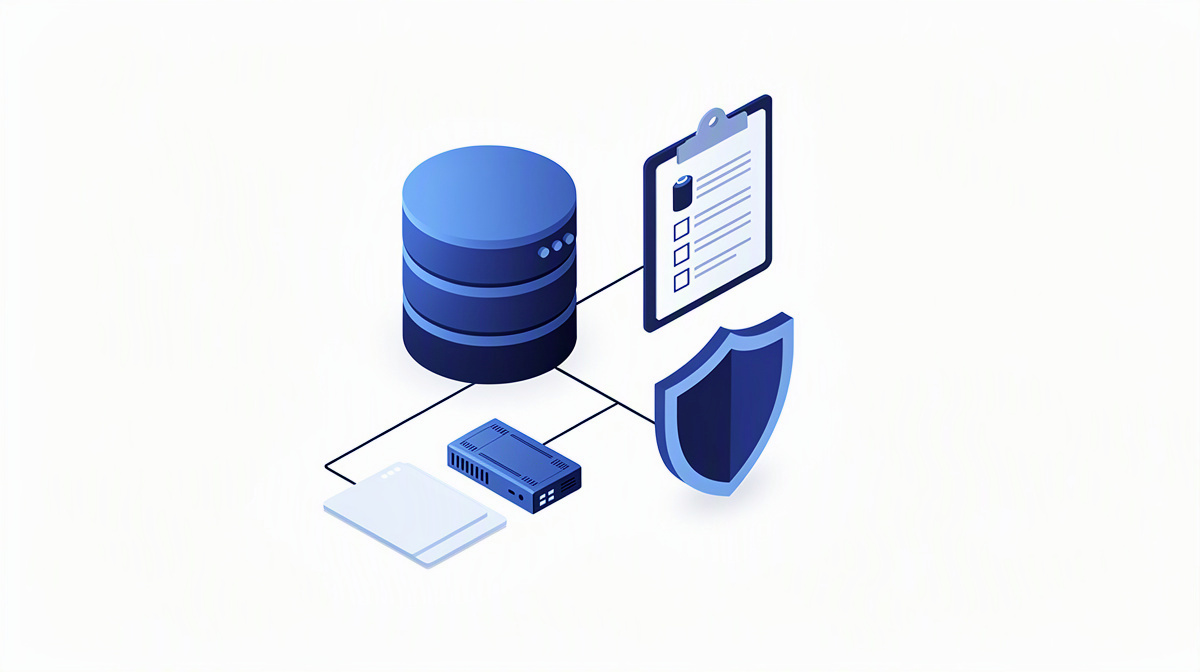
Many web app projects stand or fall on their data. This does not just mean which information is recorded, but also where it currently sits and who needs it at which step. If you clarify that too late, you often plan past the real complexity of the project.
Connections to existing systems are just as important. An interface is a defined connection between systems through which data is exchanged or functions are called. You should therefore establish early on which applications need to be connected, for example:
- Databases
- Microsoft 365
- Identity services
- Specialist applications
If users are meant to sign in with existing company accounts, that is a planning topic in its own right. Identity services such as Entra ID help manage access centrally and classify roles more clearly.
Data quality also deserves attention. You should clarify: which application is the leading system? How are changes transferred? And what happens if two systems contain contradictory information? The article on planning processes and systems for data synchronisation is helpful for these questions.
Security is best planned through clear, understandable questions:
- Which data is sensitive?
- Who is allowed to view or edit it?
- Which organisational and technical safeguards are needed?
As soon as data protection, retention requirements or other legal rules come into play, you should review these points with data protection officers or legal advisers. If you want to describe requirements and integrations clearly at an early stage, it also often helps to look at a functional specification as an actionable plan.
Define the technical foundation, operations and further development
As a decision-maker, you do not need to delve into the code. Even so, you should understand the technical direction because it has a noticeable impact on maintainability, extensibility and later operations. This applies in particular if an existing solution is to be replaced or expanded. The article on identifying and properly assessing legacy applications can also help with this.
A modern web app project typically consists of several building blocks:
- User interface for use in the browser
- Business logic for rules and workflows
- Data storage for structured information
- Integrations with other systems
It is also important how changes are safeguarded. Automated tests repeatedly check whether key functions are working as intended. CI/CD describes a defined process through which changes are checked and deployed to test or live environments.
For operations, you should clarify early on where the application will run, how access and secrets will be managed, and how new versions will be rolled out. Microsoft Azure cloud services can provide building blocks for this, for example for running applications, securely managing keys or connecting over the internet. You can find an overview of development, databases, hosting and operations in one place.
If AI features are conceivable, they should be planned as a clear use case, for example for searching company knowledge, assistants or extracting information from documents, rather than simply as a buzzword. For further development after launch, careful structured planning of releases is worthwhile.
From concept to a project that can actually be delivered
For an idea to become a project, it needs a clear concept. This should describe requirements, priorities, roles, integrations and a realistic initial scope in such a way that both business and technical stakeholders develop the same understanding of the project.
A functional specification is not an end in itself. It serves as a working basis so that implementation and coordination become easier and open points remain visible. If you would like to understand this step better, you will find a separate article on the functional specification.
A practical approach is to work in clear steps:
- Getting to know requirements, expectations and the rough level of effort
- Concept and design with a cost estimate
- Development with regular coordination
- Quality assurance and go-live
- then support and further development
For decision-makers, what matters above all is that planning and development remain closely connected. Gathering requirements once and then no longer reviewing them together later often leads to misunderstandings or unnecessary loops.
If you want to clarify the broad framework of your project, the cost calculator or the project check can help. If you would also like to get in touch for a no-obligation initial consultation, take a look at reference projects or explore the topic of app development in more detail, you can build directly on that.
Frequently asked questions when you want to build a web app
When is a web app more suitable than a native app?
A web app is often the better option when your application needs to be accessible on smartphones and computers without separate app versions. This is particularly suitable when forms, approvals, information, portals or internal processes are the main focus.
Important questions are:
- Do staff or customers mainly use the application in the browser?
- Should the same solution work in a similar way across different devices?
- Are processes, data and roles more important than device functions?
A native app may be more suitable if usage is tied very closely to a specific operating system or special device functions.
What information should I prepare before an initial consultation about a web app?
What helps is not a perfect document, but a clear overview. In particular, note down:
- what problem needs to be solved
- who will use the application
- which tasks should be completed in the web app
- which existing systems are involved
- what absolutely has to be included at launch
- what can follow later
Sketches, screenshots, Excel lists, process descriptions or an existing requirements specification are also useful. This makes it easier to assess expectations and open points more quickly.
How do I plan integrations with existing systems without creating duplicate data later on?
The key question is which system is the leading system. For every important piece of information, it should be clear early on where it is maintained and which system takes precedence if in doubt.
You should therefore clarify:
- which data really needs to be synchronised
- when data is transferred
- who is allowed to trigger changes
- how conflicts are detected
Without these decisions, duplicated maintenance, contradictory records and unnecessary coordination easily arise.
What belongs in the first version of a web app, and what is better left for later expansion stages?
The first version should contain what makes the core benefit usable. This usually includes the most important roles, the central workflows and only the data that is genuinely needed for them.
Later expansion stages are more suitable for:
- additional convenience features
- rare special cases
- extended reporting
- further integrations
This keeps the launch manageable and easier to assess.
How can AI features be introduced usefully in a web app without making the project unnecessarily larger?
The most sensible approach is a single, clear use case rather than a large AI package. Suitable examples include searching company knowledge, an assistant for recurring questions or extracting information from documents.
ballmüller solutions uses Azure OpenAI in the Microsoft Cloud for this. For planning, what matters above all is: which data is the function allowed to use, what specific benefit should it deliver, and how will the result be checked by people?
Building a web app: make better decisions with a clear plan
A web app can usually be managed better in the planning phase if you do not look at objectives, users, data, integrations, security and operations separately, but bring them together early on. That creates a more reliable basis for decisions.
This helps above all with three questions:
- What belongs in the first sensible scope?
- What sequence makes sense from a business and organisational perspective?
- Which technical direction will also support later expansions?
ballmüller solutions is a Berlin-based software provider that has been developing custom software with Microsoft .NET for more than ten years and has been working company-wide according to Clean Code Development since 2022. This includes projects such as a CRM for an insurance broker.
If you would like to discuss your project, a no-obligation 30-minute initial consultation via Microsoft Teams is available. Your contact is Managing Director Görkem Ballmüller.